

Did you know that a staggering 55% of users on a popular visual platform actively search for products? This statistic highlights the immense potential of creating effective content that captures attention. Since I started my first blog in August 2016, I have refined strategies to create engaging visuals that drive traffic.
In this guide, I will show you how to create pinterest pins that not only look appealing but also encourage users to click through to your blog. You’ll learn how to optimize your content to ensure your brand stands out in a crowded space. We will explore the essential elements of a successful pin, helping you master the art of marketing on this platform.
By the end of this post, you’ll have the tools to design a pin that captures attention and aligns with your business goals through consistent and high-quality visual storytelling.
Key Takeaways
- Learn to create effective visuals that drive traffic to your site.
- Understand how to optimize content for better visibility.
- Discover the essential elements of a successful pin.
- Master the art of marketing on a visual platform.
- Design pins that align with your business goals.
Introduction: Why Pinterest Pins Matter
A remarkable 46% of weekly users stumble upon new brands or products on this visual platform. This statistic highlights the unique power of pins in driving brand discovery. Unlike other social media, content on this platform can continue to generate traffic long after it’s posted.
Here are some key reasons why these visuals are essential:
- Longevity: An old pin can still attract clicks years later.
- Efficient Time Investment: Spending just half an hour each week can yield significant visibility.
- Ready-to-Buy Audience: Users come here with a buying mindset, making each pin a bridge to potential customers.
- Strategic Growth: Understanding the importance of these pins is vital for converting casual browsers into loyal followers.
By recognizing the value of your pins, you can build a sustainable strategy that enhances your brand’s presence.
Understanding Different Pin Formats
Navigating the world of visual content can be daunting, especially with the variety of formats available. It’s essential to understand the different types of pins to create engaging content that resonates with your audience.
First, let’s look at the two main categories: static image pins and video pins. Each format serves a unique purpose, allowing you to tailor your approach based on your content strategy.
While many still search for the idea pin format, these have been integrated into standard pins. However, you might still see them on older accounts. Additionally, carousel pins are making a comeback, enabling you to showcase multiple images in one pin. This is a fantastic way to highlight various products or aspects of your brand.
Understanding these types of pins is crucial. I will guide you on how to choose the right format for your content, ensuring that every idea pin or standard pin aligns with your goals.
The Evolution of Pins on Pinterest
This platform has evolved significantly, simplifying the process of creating engaging visuals. Over the years, it has moved away from complex formats to focus on what truly drives engagement. As a marketing expert, I’ve witnessed this transformation from a simple bookmarking site to a powerful search engine for visual content.
This evolution means your pin strategy must be more intentional. It’s essential to focus on high-quality visuals that provide real value to users. I remember when the platform was much more limited, but today, the variety of ways to share your content is better than ever.
By staying updated on these changes, you ensure that every pin you create remains relevant. This adaptability is crucial in an ever-changing digital landscape, allowing your marketing efforts to thrive.
Static Pins: The Foundation of Effective Pinterest Marketing
When it comes to effective marketing on visual platforms, static pins play a crucial role in your strategy. These pins are the most commonly used type, and I recommend utilizing the standard size of 1000 x 1500 pixels for your designs.
Whether you choose to use an image alone, a text overlay, or even an infographic, each pin must be crafted to drive traffic directly to your website or blog. Here are some key points to consider:
- Infographics are particularly effective, as they are highly savable. Users often save these pins for future reference, even if they don’t click right away.
- Ensure that any text overlay is clear and compelling, providing a strong reason for users to engage with your pin.
- By mastering the static pin, you establish a solid foundation for your Pinterest marketing, keeping your best content visible to your audience.
Video Pins: Bringing Your Content to Life
Video content is revolutionizing how we engage with audiences on visual platforms. It allows for dynamic storytelling that captures attention effectively. With video pins, you can convey your message in a way that static images simply cannot.
Here are some best practices for creating engaging video content:
- Keep it Short: Aim for videos between 6 and 15 seconds. The average watch time is only about 6 seconds, so make every second count.
- Clear Call to Action: Front-load your video with a strong call to action. You have just a few seconds to grab your audience’s attention.
- High Quality: Ensure your video is well-lit and visually appealing. Quality matters in standing out in a busy feed.
- Repurpose Content: I’ve seen a 2200% increase in views in just 90 days by repurposing existing content into video format.
- Use Native Scheduler: Upload your video using the native Pinterest scheduler to maintain quality for your marketing efforts.
Essential Pinterest pins Strategies for Clicks
Creating engaging content on a visual platform requires strategic thinking and optimization. To get more clicks, treat your pin as a search result. Use the right keywords to ensure your content is easily found by users.
I recommend creating a variety of pins for each piece of content. This approach allows you to test which designs resonate best with your audience. My top tips for success involve analyzing your results and adjusting your strategy based on what your analytics reveal.
Never rely on content that is just “whipped up.” High-quality pins are essential for driving consistent traffic to your website. By implementing these essential strategies, you will find that your pins become more effective at converting casual viewers into engaged visitors.
| Strategy | Description | Benefit |
|---|---|---|
| Keyword Optimization | Use relevant keywords in your pin descriptions. | Improves visibility in search results. |
| Variety of Designs | Create multiple designs for each content piece. | Helps identify what works best with your audience. |
| Analytics Review | Regularly analyze performance metrics. | Informs adjustments to your strategy. |
Design Principles for Eye-Catching Pin Creatives
Understanding design elements can enhance your pin’s effectiveness. Your design should always prioritize high-quality images. Nothing can save a bad visual, even if your keywords are perfectly optimized for the platform.
I recommend using natural light whenever possible. It makes your product look professional and helps your brand stand out from the competition. Additionally, keep your design uncluttered by using a clean background. This ensures that the focus remains on the product rather than surrounding props.
Experiment with different images for the same product. This is one of my favorite tips for growth, as it allows you to see what your audience responds to best. A well-executed design will naturally draw the eye, giving your pin the best possible chance of being clicked by someone scrolling through their feed.
| Tip | Description | Benefit |
|---|---|---|
| High-Quality Images | Always use sharp, clear images. | Improves overall appeal and engagement. |
| Natural Lighting | Utilize natural light for product shots. | Enhances professionalism and brand image. |
| Clean Background | Keep backgrounds simple and uncluttered. | Focuses attention on the product. |
| Image Variety | Test different images for the same product. | Identifies what resonates with your audience. |
Step-by-Step Guide to Creating a Static Pin
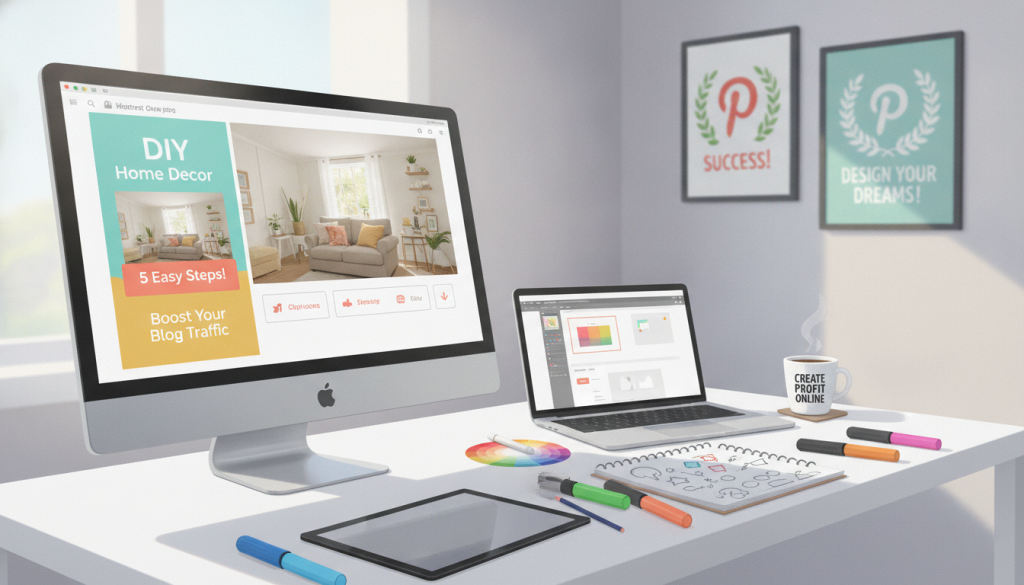
Creating a static pin is a straightforward process that can significantly enhance your visual marketing. Follow these simple steps to get started.
Choosing the Perfect Image
To create a static pin, start by logging into your account and selecting the option to create a new pin from the menu. You can easily drag and drop your chosen image into the creator tool, which is one of the simplest steps in the entire process.
Adding a Persuasive Call-to-Action
After uploading, add a persuasive call to action to your text overlay. This encourages users to click through to your blog post. Make sure your image and text are closely related to the topic of your blog, as this consistency helps build trust with your audience.
Once you have finished these steps, you can either publish your pin immediately or schedule it for a later time that suits your audience.
Step-by-Step Guide to Creating a Video Pin
Crafting a video pin is an exciting way to engage your audience visually. Video content can enhance your marketing strategy by capturing attention and encouraging interaction. Let’s explore how to create a compelling video pin that stands out.
Optimizing Video Length and Format
When creating a video pin, it’s essential to select a compelling cover image to avoid the dreaded black screen that can ruin your engagement. I always make sure to use the native scheduler for my video content, as this ensures the highest quality format for my account.
Keep your video length between 4 seconds and 5 minutes. However, I find that shorter clips often perform much better in the long run. Your call to action should be clear and visible, as this is the primary action you want your viewers to take after watching.
Selecting a Compelling Cover Image
By following these steps, you ensure that your video pin is optimized for success and ready to capture the attention of your target audience. Remember, a well-crafted video pin can significantly enhance your visibility and engagement.
Using Carousel and Collections for Multi-Product Stories
Engaging your audience with multi-product stories can elevate your marketing strategy. Carousel and collections are powerful tools that allow you to showcase multiple products effectively. Carousel pins enable you to upload up to five high-quality images, making them perfect for telling a detailed story about your products.
When using carousel pins, it’s essential to structure them well. Start with a captivating hero image in a 2:3 aspect ratio. The secondary images can be squares, allowing for a visually appealing layout. This format works exceptionally well in paid advertising campaigns, enhancing your product visibility.
Collections pins, on the other hand, are ideal for cross-selling. They require one hero image and at least three other pins, allowing you to group complementary products into a single, highly clickable pin. This strategy not only enhances user experience but also encourages shoppers to explore more of your offerings.
| Pin Type | Requirements | Best Use |
|---|---|---|
| Carousel Pins | Up to 5 images | Showcase multiple products in detail |
| Collections Pins | 1 hero image + 3 other pins | Cross-selling complementary products |
| Aspect Ratio | Hero: 2:3; Secondary: Square | Optimal visual layout |
Tips for Using Idea Pins Effectively
Idea pins are transforming how we share content on visual platforms. They offer a unique opportunity to engage your audience, similar to reels or TikToks. By utilizing this format, you can repurpose existing video content effectively.
One of the standout features of an idea pin is the ability to add multiple links. This makes it perfect for showcasing several products at once. Here are some tips to maximize your idea pin strategy:
- Focus on Value: When creating an idea pin, aim to provide inspiration or valuable content. This encourages users to follow your account for more.
- Use the Notes Section: I recommend utilizing the notes section to outline detailed steps. This helps your audience replicate your ideas easily.
- Consistency is Key: By regularly creating engaging idea pins, you can reach a wider audience and drive more traffic to your website than with standard pins.
By implementing these tips, your idea pins can become a powerful tool in your marketing arsenal.
| Tip | Description | Benefit |
|---|---|---|
| Repurpose Content | Transform existing videos into idea pins. | Maximizes content use and engagement. |
| Multiple Links | Add links to different products within one pin. | Increases click-through opportunities. |
| Value-Driven Content | Provide inspiration or practical steps. | Encourages followers and builds trust. |
Enhancing Pin Visibility with SEO and Keywords
Effective visibility on visual platforms hinges on the strategic use of SEO. To enhance your pin visibility, using the right keywords in your title is crucial. Remember, titles are limited to 40 characters for maximum impact.
Your pin description can be up to 500 characters, providing ample space to weave in keywords without feeling forced. For an idea pin, utilize the notes section to add more context and remember to select up to 10 tags to improve discoverability.
I always recommend using your primary keyword in your file name, such as marble_candle_holder, to send a strong signal to the algorithm. Additionally, alt text is essential for static pins, as it helps screen readers and algorithms understand the content of your image, improving search results.
| Element | Limit | Best Practice |
|---|---|---|
| Title | 40 characters | Use strong keywords for visibility |
| Description | 500 characters | Incorporate keywords naturally |
| Tags (Idea Pins) | 10 tags | Select relevant tags for context |
| File Name | No limit | Include primary keyword |
| Alt Text | No limit | Describe image content accurately |

Integrating Pinterest with Your Overall Marketing Strategy
To truly harness the power of visual platforms, it’s crucial to integrate your pin strategy with your overall marketing approach. This integration is essential for long-term growth and consistent traffic to your website.
I rely on Pinterest analytics to fine-tune my approach. By examining which pins perform best, I can create more of that successful content. Your account should reflect your broader business goals, ensuring that every pin supports your sales and brand awareness.
Regularly reviewing your data allows you to identify trends and adjust your content to better meet the needs of your target audience. A cohesive marketing strategy ensures that your efforts on this platform are not isolated but drive real results for your business.
Common Mistakes to Avoid When Creating Pinterest Pins
Creating effective content on visual platforms requires careful consideration of common pitfalls. Many users make mistakes that can hinder their engagement and overall success. Here are some key errors to watch out for:
Overloading with Text and Cluttered Designs
One of the most common mistakes is overloading your pin with too much text. This can clutter your design and distract from your brand message. Your content should be easy to read at a glance. Avoid using fonts or colors that make it difficult for people to understand your message.
Neglecting Mobile Optimization
I always warn against neglecting mobile optimization. Pins that are too long risk getting cut off in the mobile feed for users. This can significantly reduce the effectiveness of your content. Testing different designs is crucial, as you might be missing out on better engagement by not experimenting.
By avoiding these pitfalls, you ensure that your pin remains professional, readable, and highly effective at driving clicks to your website.
| Mistake | Description | Consequence |
|---|---|---|
| Overloading Text | Using too much text in your design. | Clutters the pin and distracts from the message. |
| Mobile Neglect | Not optimizing pins for mobile viewing. | Long pins may get cut off, losing visibility. |
| Poor Readability | Using hard-to-read fonts or colors. | Confuses viewers and reduces engagement. |
| Not Testing | Failing to experiment with different designs. | Missed opportunities for better engagement. |
Tools and Templates to Accelerate Your Pin Creation
In today’s fast-paced digital landscape, utilizing the right tools can streamline your pin creation process. Using resources like Tasty Pins can significantly speed up your workflow. This plugin allows you to control exactly what gets shared from your blog, ensuring your content shines.
I highly recommend using templates to enhance your efficiency. Templates help you produce more content consistently, making it easier to engage your audience. With Tasty Pins, you can even enjoy a 14-day money-back guarantee, making it a risk-free way to optimize your images for better performance.
These tools are essential for bloggers who want to ensure their pins are always on point without spending hours on manual design work. By investing in the right templates and plugins, you save valuable time and can focus on creating the high-quality content your audience loves.
| Tool | Benefit | Notes |
|---|---|---|
| Tasty Pins | Control pin titles and descriptions | 14-day money-back guarantee |
| Templates | Speed up content creation | Helps maintain consistency |
| Design Tools | Enhance visual appeal | Improves engagement rates |
Conclusion
You now have a comprehensive understanding of how to create a pin that drives traffic and supports your overall marketing goals. Remember, consistency is key. By applying these tips, you will see your content perform better on the platform over time.
Don’t hesitate to experiment with different formats. The more you create, the better you will get at making pins that resonate with your audience. I encourage you to start small, keep going, and prepare to be amazed at how your account performs this time next year.
Thank you for following this guide! I look forward to seeing the incredible pins you create for your business and blog.
FAQ
What are the best types of images to use for my pins?
I recommend using high-quality images that are visually appealing. Bright colors and clear subjects tend to attract more attention. Infographics and images with a text overlay can also be effective.
How long should my video pins be?
Ideally, video pins should be between 15 to 60 seconds long. This length keeps viewers engaged while effectively delivering your message.
What is an Idea Pin, and how can I use it?
An Idea Pin is a multi-page format that allows me to share more in-depth content. I can use it to tell a story, showcase products, or provide tutorials, making it great for engaging my audience.
How can I optimize my pins for search?
I can enhance visibility by using relevant keywords in titles, descriptions, and alt text. Adding tags and optimizing file names also helps improve searchability.
What are some common mistakes to avoid when creating pins?
It’s important to avoid cluttered designs and excessive text. Neglecting mobile optimization can also hurt engagement, so I should ensure my pins look great on all devices.
How can I track the performance of my pins?
I can use analytics tools to monitor engagement metrics like clicks, saves, and impressions. This data helps me fine-tune my strategy for better results.
Are there any tools that can help me create pins more efficiently?
Yes! There are several design tools and templates available that can streamline the pin creation process, making it easier for me to produce eye-catching content.