

Did you know that a single Pinterest account can generate five times more visitors than traditional social media platforms? I discovered this surprising fact when I compared my 1,550 Pinterest followers to my much larger audiences on Facebook and Twitter. Despite having fewer followers on Pinterest, I saw incredible results that transformed my approach to online marketing.
Many website owners often struggle to attract visitors because they focus solely on popular platforms like Facebook or Twitter. However, understanding how to effectively engage with users on Pinterest can be a game-changer for your brand. My goal is to share actionable strategies that will help you leverage this platform for significant results.
In this guide, I will reveal the exact methods I used to turn my Pinterest profile into a reliable source of visitors for my website. You don’t need to be an early adopter to succeed; it’s never too late to start reaping the benefits of this powerful platform.
Key Takeaways
- Discover how a smaller audience can lead to larger results.
- Learn to engage effectively with your target audience.
- Implement actionable strategies for Pinterest marketing.
- Transform your profile into a consistent source of visitors.
- Understand the potential of Pinterest users for your business.
Getting Started with Pinterest for Website Growth
Unlocking the full potential of this platform can lead to impressive results for your site. To effectively drive visitors, converting your personal account into a business account is essential. This upgrade gives you access to powerful tools like Pinterest analytics and Rich Pins, which can enhance your marketing strategy.
Claiming your website is another critical step. This action verifies your ownership and adds a checkmark to your profile, boosting your credibility. It’s important to use your brand name for your profile, making it easier for users to find you online.
When you treat this platform as a search engine, you connect with users actively seeking solutions. A well-structured profile ensures your pins reach the right audience across various social platforms. I recommend using a professional photo instead of a logo, as it fosters a personal connection with your audience.
By organizing your content into specific boards, followers can easily find the information they need. The good news is that you can convert your existing account without losing any previous pins or boards, making the transition seamless.
| Action | Benefit | Notes |
|---|---|---|
| Convert to Business Account | Access analytics and Rich Pins | Enhances marketing strategy |
| Claim Your Website | Builds credibility | Checkmark on profile |
| Use Brand Name | Improves searchability | Easy for users to find |
How Pinterest Works and Why It Matters
Understanding how users interact with this platform can significantly impact your marketing strategy. Unlike other social platforms, where users scroll for entertainment, people on this platform are actively searching for solutions to their specific problems. This intent creates a unique opportunity for businesses.
With over 500 million monthly users, this platform acts as a powerful search engine. It prioritizes relevant content for every query, making it essential for brands to create high-quality pins. In fact, 85% of users have made purchases based on brand pins, showcasing the high intent of the audience.
Another key aspect is the lifespan of pins. They often drive traffic to your website for months or even years, unlike posts on other platforms that quickly fade away. Understanding how repins function allows your content to spread effortlessly, reaching a wider audience.
Additionally, this platform drives 33% more traffic than Twitter, proving its value for businesses. By analyzing your Pinterest analytics, you can identify which boards and pins are most effective at driving users to your site.
Pinterest Traffic: Strategies That Work
Engaging with the right strategies can turn your Pinterest profile into a powerful marketing tool. By utilizing features like group boards and Rich Pins, you can significantly enhance your reach and engagement.
Group boards are a fantastic way to find new followers. They allow multiple people to contribute content to a single board, which increases the visibility of your pins. I recommend inviting your fans to collaborate on a group board to broaden the reach of your content.
Rich Pins are another effective tool. They automatically pull information from your website, such as prices or article titles. This added context makes your pins more appealing and increases the likelihood of clicks. Always ensure that you pin to the correct board to maintain your brand reputation.
Creating a variety of boards helps establish you as a go-to source in your niche. This strategy attracts more followers over time. I’ve seen great results by mixing my own content with high-quality posts from other sources on my boards. These strategies work together to drive visitors to your website by making your pins more informative and easier to discover.
Creating Attractive, Clickable Pins for Visitors
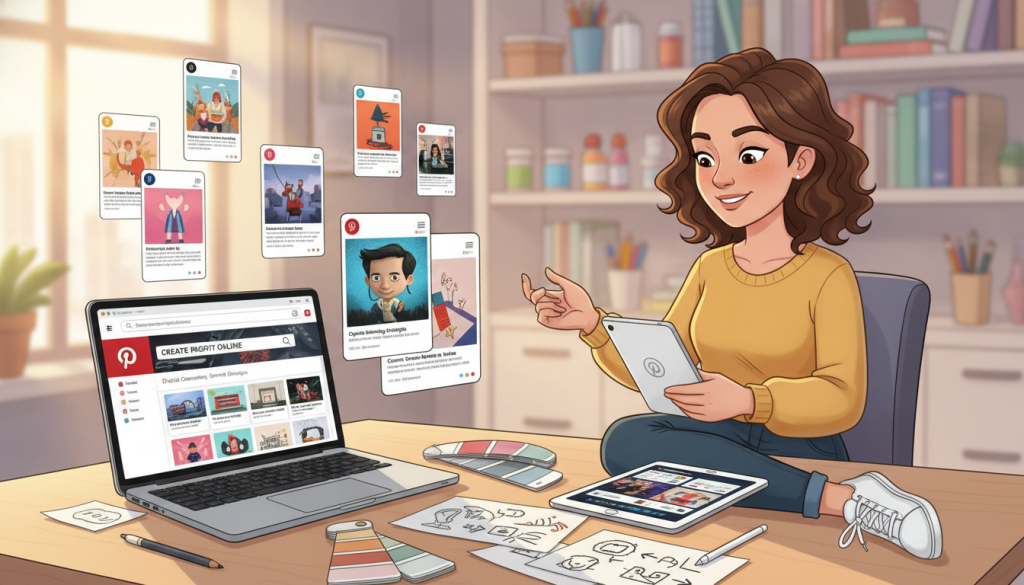
Creating visually appealing pins is essential for attracting users and driving engagement. To get more clicks, you must design pins that stand out with high-quality images and bold, readable text overlays. Following the recommended 2:3 aspect ratio ensures your pins look professional and neat in the feed.
Using tools like Canva allows me to maintain visual consistency across all my pins, which is vital for brand recognition. Including your website URL or brand name as a watermark on your images protects your content and builds authority.
Even if you are not a photographer, you can create effective pins by using fancy text to display your post titles clearly. I have found that adding text to images helps followers understand exactly what the content is about before they even click.
By batch-creating your pins, you save time while ensuring that your website has a steady stream of fresh content to share. Remember, your pins are the first impression users have of your business, so make them as inviting as possible.
Effective Pinterest SEO and Keyword Integration
Maximizing your visibility on this platform requires a solid understanding of SEO. By focusing on effective keyword integration, you can ensure that your pins appear in search results when users seek specific solutions. I often utilize the Pinterest search bar to discover popular keywords that resonate with my target audience.
Incorporating these keywords into your pin titles, board names, and descriptions is essential. This practice enhances your chances of being found by users looking for content like yours. However, it’s crucial to maintain a balance between using keywords and crafting engaging content. Overstuffing your pins with keywords can come off as spammy, which may hurt your rankings.
Instead, I recommend focusing on a few highly relevant keywords per pin. This approach not only keeps your content authentic but also helps in optimizing your descriptions. Well-written descriptions provide users with valuable context, encouraging them to click through to your website for more information.
Ultimately, remember that quality trumps quantity when selecting keywords for your marketing strategy. Prioritizing engaging content ensures your pins stand out, attracting more followers and driving users to your site.
Leveraging Pinterest Plugins and Analytics Tools
Utilizing the right plugins can significantly enhance your experience on this platform. For instance, installing a Pinterest plugin like Tasty Pins makes it incredibly easy for your readers to save your blog images to their boards. This simple addition encourages users to engage with your content more actively.
I also use plugins to add a hover button to my images. This acts as a visual call to action, prompting my audience to pin my posts. Such tools streamline the process and can lead to increased visibility for your pins.
Another essential aspect is tracking performance. Pinterest analytics are crucial for understanding which pins drive the most outbound clicks to your website each month. Regularly reviewing this data allows you to identify which content resonates with your followers.
Tools like BlogToPin can automate your pinning process. Some users have reported a remarkable 200-400% increase in traffic within 90 days. By employing UTM parameters, you can also see exactly where your traffic is coming from, giving you deeper insights into your marketing efforts.
By leveraging these tools, you can focus more on creating content that your audience loves, rather than getting bogged down in manual tasks. Always ensure your website is optimized for speed, as users expect instant gratification when they click on your pins.

Maintaining Consistent Pinning and Engagement
To maximize your presence on this platform, maintaining a consistent pinning schedule is crucial. I aim to pin five to ten times every single day. This level of activity helps keep my content fresh and engaging for my audience.
Using scheduling tools like Tailwind allows me to batch-create and plan my pins. This way, I never miss a day of activity. I also avoid posting the same article more than once a week to prevent my content from appearing spammy to my followers.
Engaging with my audience is just as important. I make it a point to like their pins, which helps build relationships and increases my profile visibility. Curating a mix of my own content and high-quality external content keeps my boards appealing and informative.
By maintaining a regular schedule, I signal to the algorithm that my account is active and relevant. I recommend checking my Pinterest analytics periodically to see if my pinning times align with when my audience is most active. Remember, building a presence takes time, but consistent pinning will eventually drive massive traffic.
Conclusion
Driving users to your website through visual platforms is a long-term strategy that pays off with consistency and high-quality content. By setting up a business account and utilizing tools like Rich Pins, you can significantly boost your click-through rates.
Focus on SEO by incorporating the right keywords in your titles and descriptions to help users discover your content. I encourage you to start today by claiming your website and creating your first set of attractive, clickable pins for your audience.
With the right approach, this platform can become one of your most valuable sources of traffic for your blog or business.
FAQ
How can I start using Pinterest to drive traffic to my website?
To begin, create a business profile and claim your website. This will help establish your brand and make your content more discoverable.
What types of content work best on Pinterest?
Visual content, such as high-quality images and infographics, tends to perform well. It’s also beneficial to create engaging titles and descriptions that incorporate relevant keywords.
How often should I pin to maintain engagement?
Consistency is key! I recommend pinning daily, aiming for a mix of your own content and repins from others to keep your boards active and engaging.
What are Rich Pins and how do they help?
Rich Pins provide extra information directly on the pin itself, making them more informative and engaging. They can lead to higher click-through rates and increased traffic.
How do I optimize my pins for search?
Use relevant keywords in your pin titles and descriptions. This helps your content appear in searches and attracts the right audience to your website.
Can I track the performance of my pins?
Yes! Utilizing Pinterest Analytics allows you to monitor which pins are performing well and understand your audience’s behavior better.
What tools can help me with Pinterest marketing?
There are several tools available, such as scheduling apps for pinning and analytics tools to track performance. These can streamline your efforts and enhance your strategy.
How do I create eye-catching pins?
Focus on using vibrant colors, clear text overlays, and a consistent style that reflects your brand. The right design can significantly increase click-through rates.